
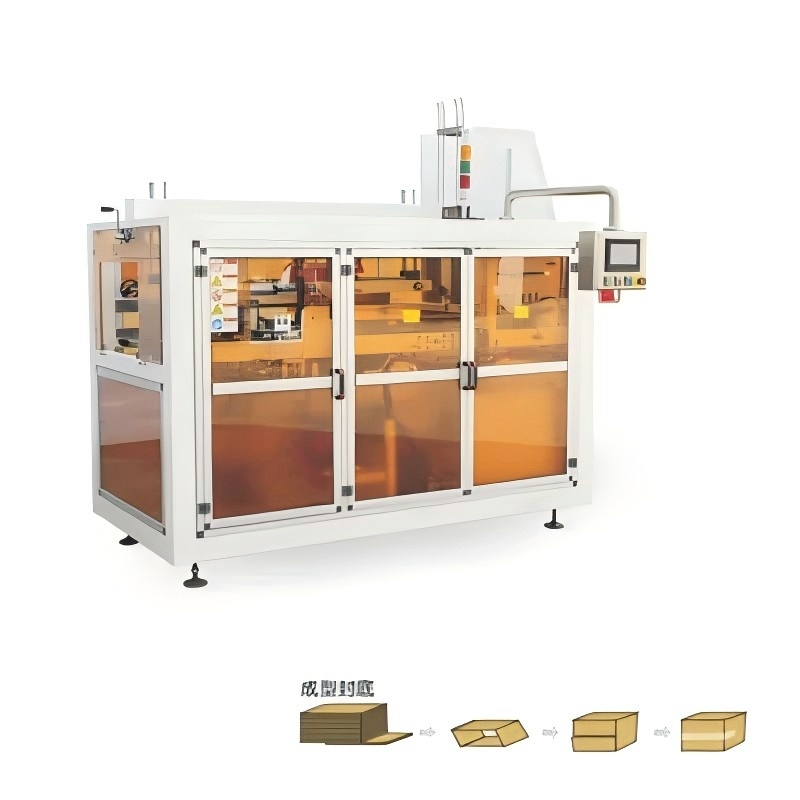
Automatic labeling and label design software play a critical role in modern packaging, logistics, and product identification. This guide explains core concepts, industry‑standard specifications, key benefits, and practical optimization tips for creating and managing labels in automated environments.
Automatic labeling is the process of applying labels to products, containers, or packaging using automated equipment instead of manual labor. In an automatic labeling system, labels are printed, dispensed, and applied with minimal human intervention, often integrated directly into production or packaging lines.
Automatic labeling can handle a wide range of label types and materials, including pressure‑sensitive labels, wrap‑around labels, barcode labels, RFID labels, and variable data labels. Combined with label design software, these systems support consistent, compliant, and high‑volume labeling operations.
| Component | Function in Automatic Labeling |
|---|---|
| Label Design Software | Creates label layouts, manages fonts, barcodes, graphics, and variable data; interfaces with printers and databases. |
| Label Printer | Prints labels on rolls or fanfold media using thermal transfer, direct thermal, inkjet, or laser technologies. |
| Print‑and‑Apply Applicator | Receives printed labels and automatically applies them to products, cases, trays, or pallets. |
| Label Dispenser / Applicator | Peels labels from the liner and places them on flat, curved, or irregular surfaces via tamp, wipe, or blow methods. |
| Sensors & Encoders | Detect product position, speed, and orientation to ensure accurate label placement and synchronization. |
| Controller / PLC / PC | Coordinates labeling equipment, production line speed, I/O signals, and communication with host systems. |
| Verification Systems | Check label presence, barcode readability, and print quality using cameras or scanners. |
| Factor | Automatic Labeling | Manual Labeling |
|---|---|---|
| Throughput | High speed, continuous operation, supports thousands of labels per hour. | Limited by operator speed; inconsistent at high volumes. |
| Accuracy | Precise position and repeatability when correctly set up. | Prone to position variation, skewing, and alignment issues. |
| Labor Cost | Higher upfront cost, lower ongoing labor requirement. | Low equipment cost, high long‑term labor expense. |
| Error Rate | Low, especially with integrated verification and software control. | Higher risk of mislabeling, mix‑ups, or missing labels. |
| Scalability | More scalable for growing production volumes and SKUs. | Difficult to scale; often requires more operators and space. |
Label design software is specialized software used to create, edit, manage, and print label layouts for automatic labeling and manual labeling workflows. It acts as the central tool for designing barcodes, text fields, images, regulatory symbols, and variable data that appear on packaging labels.
Modern label design programs support connections to databases, ERP systems, and printing hardware. They manage label templates, enforce labeling rules, and help ensure compliance with industry standards such as GS1, UDI, and other global identification frameworks.
| Function | Description |
|---|---|
| Template Design | Create static and dynamic label templates with configurable objects: text, images, shapes, and barcodes. |
| Variable Data Printing | Merge variable data from spreadsheets, databases, or systems to print unique labels for each item or batch. |
| Barcode & QR Code Support | Generate 1D and 2D barcodes, including GS1‑compliant codes, QR codes, Data Matrix, and more. |
| Serialization | Create unique serial numbers and manage sequences for traceability, anti‑counterfeiting, and regulatory requirements. |
| Printer Drivers & Device Support | Communicate with thermal label printers, inkjet printers, and print‑and‑apply units for optimized output. |
| User Access Control | Define user roles, permissions, and approval workflows for controlled label changes and versioning. |
| Regulatory Compliance Tools | Assist in implementing required data fields, text sizes, and symbols based on regulatory standards. |
| Preview & Simulation | Show on‑screen previews of labels before printing to validate layout and data. |
| Integration APIs | Interface with ERP, MES, WMS, and custom systems to trigger print jobs automatically. |
Combining automatic labeling equipment with robust label design software brings significant advantages in efficiency, quality, and compliance. The synergy between software and automation is central to modern labeling strategies in manufacturing and logistics.
| Benefit Category | Key Advantages |
|---|---|
| Productivity | Faster labeling cycles, fewer bottlenecks, automated changeovers, reduced downtime when switching label designs. |
| Cost Reduction | Lower labor requirements, less rework, reduced label waste, consolidated label templates. |
| Quality & Consistency | Uniform label placement, standardized text and graphics, accurate barcodes, consistent branding. |
| Compliance | Easier implementation of legal and industry labeling rules; traceable records and controlled revisions. |
| Flexibility | Faster response to new SKUs, languages, customer requirements, and packaging changes. |
| Data Integrity | Direct connections to master data sources reduce transcription errors and outdated content. |
Automatic labeling combined with high‑quality label design directly influences how products are perceived. Cleanly printed, properly aligned labels with sharp barcodes convey a professional brand image and improve customer trust. Label design software supports brand consistency by applying the same fonts, colors, logos, and layout rules across multiple products and packaging formats.
Many industries rely on strict labeling standards. Label design software helps businesses meet these expectations by enforcing template rules, ensuring mandatory data fields, and providing validation options. Automatic labeling equipment then applies these compliant labels reliably at scale.
Automatic labeling systems can handle multiple label formats and materials. Label design software must be able to manage all of these variations and adapt layouts to each label size and shape.
| Label Type | Typical Use | Design Considerations |
|---|---|---|
| Pressure‑Sensitive Labels | General product labeling, packaging, bottles, jars, pouches. | Adhesive compatibility with substrate, curved surface layout, print contrast. |
| Wrap‑Around Labels | Beverage bottles, cans, cylindrical containers. | Alignment of front and back panels, bleed zones, barcode placement away from seams. |
| Shrink Sleeves | Full‑body decoration, tamper evidence, 360‑degree graphics. | Distortion mapping, safe zones for text, shrink direction, color saturation. |
| Shipping / Logistics Labels | Cartons, parcels, pallets, warehouse locations. | Readable barcodes, carrier‑required fields, large fonts for addresses, durable materials. |
| Rating Plate & Asset Labels | Machines, equipment ID, compliance plates. | Long‑term durability, chemical resistance, clear serial and model numbers. |
| Pharma & Medical Labels | Vials, syringes, medical devices, clinical samples. | Small font legibility, UDI barcodes, tamper‑evident features, patient safety information. |
| RFID Smart Labels | Supply chain tracking, pallet identification, item‑level tagging. | Antenna area clear of dense ink, encoded EPC data, visual human‑readable backup. |
Label design software is not only about graphics. It must support correct label dimensions and specifications for the substrate and environment:
By defining the right label size, margins, and clear zones in the software, it becomes easier to select compatible label stocks and adhesives for automatic labeling performance.
When deploying automatic labeling systems, a clear understanding of technical specifications is essential. Label design software must align with hardware capabilities and production constraints.
| Specification Category | Typical Values / Considerations |
|---|---|
| Print Resolution | 203 dpi, 300 dpi, 600 dpi; higher dpi needed for small fonts, 2D codes, and detailed graphics. |
| Print Speed | 50–300 mm/s or more; must match line speed and required label throughput. |
| Max Label Width | Roughly 50–216 mm depending on printer; software must define label width accordingly. |
| Label Length | Minimum length determined by sensor spacing and print mechanism; maximum length by memory and handling. |
| Media Roll Size | Outer diameter and core size; affects time between roll changes and downtime. |
| Applicator Speed | Labels per minute; must align with conveyor speed and product pitch. |
| Application Method | Tamp, tamp‑blow, wipe‑on, corner‑wrap, sleeve application, top/bottom/side application. |
| Communication Interfaces | Ethernet, serial, USB, fieldbus, or wireless; used for receiving label data and control signals. |
| Label Sensor Types | Gap sensor, black‑mark sensor, transparent media sensor; ensures precise label feed and registration. |
| Environmental Ratings | Operating temperature range, IP ratings, dust and moisture resistance for harsh environments. |
| Design Parameter | Recommended Guidelines |
|---|---|
| Label Size | Match container dimensions; include margins for print tolerances and applicator alignment. |
| Margins & Safe Zones | Keep critical text and codes away from edges (e.g., at least 2–3 mm) to allow for movement and skewing. |
| Font Selection | Use simple, legible fonts; ensure minimum point sizes for required readability at intended distance. |
| Barcode Quiet Zones | Provide clear space around barcodes as specified by each symbology standard. |
| Color Contrast | Dark bars on light background for barcodes; sufficient contrast between text and background. |
| Image Resolution | Use vector graphics when possible; bitmap images at least 300 dpi at final size. |
| Data Fields | Define fixed, variable, and calculated fields; map each field to data sources where applicable. |
| Language Support | Ensure fonts and encoding support required character sets (Latin, Cyrillic, Chinese, Arabic, etc.). |
| Regulatory Zones | Reserve areas for mandatory information such as warnings, nutrition facts, or instructions. |
| Orientation | Set correct print orientation to align with applicator and product direction on the line. |
Automatic labeling frequently uses barcodes, QR codes, and serialized data. Label design software is responsible for generating these codes and ensuring they meet scanning and regulatory requirements.
| Barcode Symbology | Typical Use Case | Key Design Factors |
|---|---|---|
| Code 128 | Cartons, logistics labels, serialized items. | Supports alphanumeric data and high density; ensure correct module width for print resolution. |
| EAN‑13 / UPC‑A | Retail products, consumer goods. | Follow retail standards; maintain defined dimensions for reliable checkout scanning. |
| ITF‑14 | Case‑level and pallet labels. | Printed on corrugated materials; larger bar width and high contrast required. |
| GS1‑128 | Supply chain and compliance labels with application identifiers. | Correct use of AI structure, mandatory separators, and quiet zones. |
| Data Matrix | Small parts, medical devices, electronics. | Requires higher print resolution; ideal for tiny labels and UDI applications. |
| QR Code | Consumer engagement, web links, marketing campaigns. | Allow sufficient size for scanning by smartphones; consider logo placement carefully. |
| GS1 DataMatrix | Pharma products, healthcare identification, unit‑level tracking. | Follow GS1 rules for encoding GTIN, batch, and expiration information. |
Label design software supports multiple types of variable data for automatic labeling:
Centralizing these rules in the label design software reduces manual entry and helps align labels with ERP or MES data sources.
Optimizing label design software configuration has a substantial impact on the success of automatic labeling projects. Practical configuration and workflow strategies help reduce errors and speed up changeovers.
| Template Strategy | Explanation |
|---|---|
| Modular Design | Use reusable components, such as shared logos, common text blocks, and standard barcode fields. |
| Master Templates | Create base templates for each packaging family; derive variants for language, region, or size. |
| Layered Content | Use layers or conditional objects for optional fields and promotional messages. |
| Dynamic Fields | Configure fields to pull values from data sources, user prompts, or calculations. |
| Label Naming Conventions | Use clear, structured names that indicate product category, region, version, and template type. |
Label content often changes frequently due to marketing updates, regulatory changes, or new product variants. Managing those changes systematically is critical.
In an automated environment, label design software does not operate in isolation. It connects with upstream and downstream systems to support real‑time, data‑driven labeling.
| System | Role in Labeling Process | Integration Purpose |
|---|---|---|
| ERP (Enterprise Resource Planning) | Stores product master data, customer data, and order information. | Provide SKUs, descriptions, quantities, and destination data directly to label templates. |
| MES (Manufacturing Execution System) | Controls production orders, batch data, and process parameters. | Trigger label printing based on production events; encode batch and line data. |
| WMS (Warehouse Management System) | Manages inventory locations, shipping, and receiving. | Generate shipping, pallet, and storage labels on demand or automatically. |
| PLC / Line Controllers | Synchronize machine operation, sensors, and actuators. | Coordinate label application timing and printer status with conveyor movement. |
| Scanners & Vision Systems | Verify labels, read barcodes, and inspect print quality. | Feedback for rejections, reprints, and performance monitoring. |
| Quality Management Systems | Track defects, compliance checks, and inspection data. | Record labeling performance, print quality results, and non‑conformance events. |
Automatic labeling environments often use trigger events for printing, such as:
Label design software typically provides interfaces or APIs so that other systems can initiate printing with predefined parameters.
Different industries apply automatic labeling and label design software in unique ways. Understanding these differences is important when planning labeling strategies and software configuration.
Implementing automatic labeling and label design software is a project that benefits from structured planning. The steps below outline a typical approach.
Understanding common terminology makes it easier to communicate with technical teams and equipment suppliers.
| Term | Definition |
|---|---|
| Automatic Labeling | Use of machines and automated systems to apply labels without manual placement. |
| Print‑and‑Apply | A labeling method in which a label is printed and immediately applied to a product or package. |
| Label Design Software | Software used to design, manage, and print label layouts, including barcodes and variable data. |
| Serialization | Process of assigning unique serial numbers to individual products or packages. |
| Variable Data Printing | Printing where text or codes change from one label to the next based on external data. |
| Quiet Zone | Blank area around a barcode required for reliable scanning. |
| Verification | Inspection of printed labels to ensure correct content, position, and barcode quality. |
| Applicator | Mechanical device that applies a label to a product, case, tray, or pallet. |
| UDI | Unique Device Identification system for medical devices, requiring specific label data formats. |
| GS1 | Global organization that develops supply chain standards for barcodes and identification. |
Automatic labeling and label design software form the backbone of modern packaging and identification workflows. By focusing on accurate label design, reliable data integration, and well‑configured automation, organizations can significantly improve efficiency, reduce labeling errors, and maintain compliance with industry and regulatory requirements.
Key elements of a strong automatic labeling strategy include:
With the right combination of automatic labeling systems and well‑designed label software workflows, businesses can achieve scalable, consistent, and high‑quality labeling across every stage of their supply chain.
```
This website uses cookies to ensure you get the best experience on our website.

 Español
 Portugues
 Pусский



 WhatsApp
 Phone
Phone
Comment
(0)